

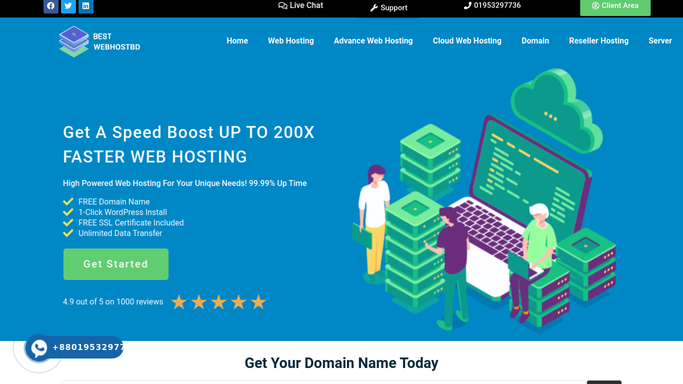
Bestwebhostbd Reviws: Uncover the Top Hosting Insights – A Picking a host in Bangladesh feels easy until you open the pricing pages. Every provider promises speed, free SSL, and “24/7 support.” Few of them tell you what the cheapest plan actually limits.
I went through the Bestwebhostbd plan pages line by line, and I have hosted a site there myself. It was affordable, and it suited a startup budget well enough. This article covers the plans and prices, the hardware limits that matter, how support works, and who should skip it. There is also a section on keeping a WordPress database clean, because a bloated database will slow down even a good server.
If you are comparing hosts right now, start with the plan tables below. They show where each tier stops being generous.
[Image Placeholder: “Bestwebhostbd Reviews: Uncover the Top Hosting Insights” featured image showing the Bestwebhostbd dashboard]
What Is Bestwebhostbd?
Bestwebhostbd is a Bangladeshi hosting company with an office on Gulshan Link Road in Badda, Dhaka. Its website lists a trade license (2021-00506) and a footer copyright that starts in 2019. It sells hosting, domain registration, and domain transfers through a WHMCS-style client area.
The product range is wider than a typical small reseller’s:
- Web hosting with a free first-year domain on yearly orders
- Singapore hosting and USA hosting on NVMe storage
- BDIX hosting, built for visitors inside Bangladesh
- Premium hosting and Turbo cloud hosting, aimed at online stores
- Reseller hosting
- Managed VPS hosting
Server locations include Germany, Finland, Singapore, the USA, and a BDIX data center. That matters if your visitors are mostly in Bangladesh. BDIX traffic stays on local networks, so a Dhaka reader can load your pages faster than they would from a server in Europe. If your audience is global, the Singapore or USA options make more sense.
One thing I noticed: the site lists no dedicated server product. If you read other summaries that say otherwise, double-check before paying.
Bestwebhostbd Shared Hosting Plans and Pricing
Shared hosting is where most people start, and it is where the fine print counts most. There are three main tiers, all with cPanel, LiteSpeed Cache, one-click WordPress installs, SSH access, and a lifetime free SSL certificate.
| Plan | Yearly Price | Monthly Price | NVMe Storage | RAM | MySQL Databases | Addon Domains |
|---|---|---|---|---|---|---|
| Basic | BDT 1,699 | BDT 199 | 10 GB | 1 GB | 5 | 2 |
| Plus | BDT 2,199 | BDT 249 | 20 GB | 1.5 GB | 10 | 5 |
| Business | BDT 2,999 | BDT 299 | 50 GB | 2 GB | 30 | 10 |
Prices as listed on the Bestwebhostbd website in November 2026. They change, so check the checkout page.
The Business plan card says “unlimited” disk space, while the technical table lists 50 GB. I would trust the table and confirm with support before moving a large media site.
A promotional banner also advertises a Starter plan at BDT 149 per month on a 12-month term, with 10 GB of NVMe storage and a free domain. That is the cheapest way in.
What the specs mean in practice
The Basic plan gives you 2 CPU cores, 1 GB of RAM, 20 entry processes, and an inode limit of 150,000. For a small blog or a business brochure site, that is plenty. For a WooCommerce store with thousands of products, you will hit those walls quickly.
Two limits catch people off guard:
- Database count. Basic allows five MySQL databases. Each WordPress install uses one, so you can run five sites at most, even though you only get two addon domains.
- Inodes. Every file and email counts toward the 150,000 cap. Backup plugins that store copies on the server fill this up fast.
All plans include weekly automatic backups, DDoS protection, free migration, and PHP version control. Node.js and Python apps are not supported on shared plans, according to the spec table

Credit: www.trustpilot.com
Bestwebhostbd VPS and Other Hosting Options
When a site outgrows shared hosting, the next step is a managed VPS. Bestwebhostbd lists five tiers:
| Plan | Monthly Price | vCPU | RAM | Storage | Bandwidth |
|---|---|---|---|---|---|
| VPS-1 | BDT 2,500 | 1 core | 2 GB | 60 GB | 3 TB |
| VPS-2 | BDT 4,000 | 2 cores | 4 GB | 120 GB | 5 TB |
| VPS-3 | BDT 8,000 | 4 cores | 8 GB | 240 GB | 7 TB |
| VPS-4 | BDT 10,000 | 4 cores | 12 GB | 300 GB | 8 TB |
| VPS-5 | BDT 15,000 | 8 cores | 16 GB | 350 GB | 10 TB |
Every VPS plan comes with a dedicated IP, full root access, IPv4 and IPv6, and a KVM hypervisor. The company says resources are guaranteed rather than oversold. The servers run AMD EPYC processors and connect at 10 Gbps.
The VPS page contains a small inconsistency. One banner shows a Starter price in dollars while the plan table uses taka. The table is the one tied to the order links, so use it as your reference.
Between shared hosting and a VPS, the Premium, Turbo cloud, and BDIX plans are worth a look. The site shows these starting from $1.99 per month, and the BDIX page claims 99.9% uptime. If most of your readers live in Bangladesh, test BDIX first.
For agencies, there is also reseller hosting. I have not tested it, so I will not rate it.
Speed, Security, Uptime, and Support
Speed
Every plan runs on NVMe storage with LiteSpeed. LiteSpeed Cache is the main reason WordPress sites feel quick on this stack. Set it up properly and a cached page loads without touching PHP at all. Server-side caching only helps so much, though. A heavy theme or a swollen database will still drag things down. More on that below.
Security
Included on shared plans: a free SSL certificate, DDoS protection, and weekly backups. Weekly is the key word. If you publish daily or run a store, one week of lost orders is a real cost. Keep your own daily backup running alongside it.
Uptime
This is where I would be careful. The VPS page advertises a “100% uptime guarantee,” then admits in the same paragraph that guarantees and marketing gimmicks differ slightly. The BDIX page mentions 99.9%. No host delivers 100%, so read the Terms and Conditions to see what credit you actually get when a server goes down.
Support
Support works through several channels with different hours:
- Support tickets: 24/7
- Messenger: 9:00 am to 2:00 am
- WhatsApp and phone helpline: 10:00 am to 1:00 am
So “24/7” applies to tickets. If your site breaks at 4 am, you file a ticket and wait. For a startup that is usually fine. For a store with live traffic overnight, it is worth knowing.
Reviews I found on Trustpilot lean positive, and the ones I read praised the support team. The number of reviews is small, so treat that as a good sign, not proof.
Bestwebhostbd Pros and Cons
Pros
- Low entry price, starting around BDT 149 to 199 per month
- NVMe storage and LiteSpeed on shared plans
- Free first-year domain on yearly orders
- Free migration, free SSL, and a 30-day money-back guarantee
- BDIX, Singapore, USA, and European server options
- Payments and support that suit Bangladeshi users
Cons
- Weekly backups only on shared plans
- Basic plan limits: 1 GB RAM, five databases, 150,000 inodes
- No Node.js or Python on shared hosting
- Uptime claims vary between pages
- Live support stops at 1 or 2 am, with tickets only after that
- Business plan disk space is described two different ways
Honestly, the cons are the usual trade-offs of cheap hosting. None of them is a dealbreaker for a blog, a coaching center site, or a small business page. They become real problems for busy stores and apps.
How to Choose the Right Hosting Plan
A few practical rules help you avoid paying for the wrong tier.
Match the plan to your traffic, not your ambition. A new blog with a few hundred visits a month does fine on Basic. Upgrade when the numbers justify it. Bestwebhostbd’s own FAQ confirms you can move to a bigger plan later.
Pick the server location by audience. Readers in Bangladesh: try BDIX. A global audience: Singapore or USA.
Count your sites before you buy. Five databases on Basic means five WordPress sites at most. Two addon domains is the tighter limit.
Do:
- Ask support in writing about the disk space question on Business
- Keep your own off-server backup
- Use the 30-day refund window to test real page speed
- Renew with care, because renewal prices often differ from first-year prices
Don’t:
- Install five caching plugins on LiteSpeed
- Store full backups on the server and fill the inode limit
- Assume “unlimited” has no ceiling
Speaking of ceilings, the next section covers one most people ignore until their site crawls.
Keep Your WordPress Database Clean on Any Host
A fresh WordPress install has a tiny database. After two years of publishing, plugin testing, and edits, it can hold thousands of post revisions, expired transients, spam comments, and leftover rows from plugins you deleted long ago. A bigger database means slower queries and larger backups. On a shared plan with 1 GB of RAM, that overhead shows up quickly.
My recommendation is Advanced Database Cleaner. It has over 100,000 active installations on WordPress.org, and the free version covers the basics well.
Top 5 Database Cleaner Plugins Compared
1. Advanced Database Cleaner. It deletes old revisions, auto drafts, trashed posts, spam comments, pingbacks, and orphaned metadata. You can preview what it found before you delete anything. It also schedules cleanups, optimizes and repairs tables, lists active cron tasks, and supports Multisite. The Pro version adds orphan detection for options, tables, and cron jobs, plus premium support.
2. WP-Optimize. An all-in-one tool from the UpdraftPlus team. It cleans the database and also handles caching, image compression, and minification. Handy if you want one plugin for everything, but if you already run LiteSpeed Cache on Bestwebhostbd, the caching features overlap.
3. WP-Sweep. Free, and it uses WordPress’s own delete functions rather than raw MySQL queries, which is the safer approach. It supports WP-CLI and REST endpoints. One drawback: its listed incompatibilities include Elementor Popup Builder, Slider Revolution, and WPML, so test it before using it on those sites.
4. Database Cleaner (Meow Apps). It processes large jobs in small asynchronous batches, which cuts timeouts on big databases. It offers a beginner mode and an advanced mode, with a free version and paid plans.
5. Optimize Database after Deleting Revisions. A simple, free, one-click option. It removes revisions, trashed content, spam, unused tags, and transients, then optimizes the tables. You can schedule it hourly, twice daily, daily, or weekly. It has fewer controls than the others.
| Plugin | Free Version | Paid Version | Best For | Watch Out For |
|---|---|---|---|---|
| Advanced Database Cleaner | Yes | Yes (annual plans) | Safe cleanup with previews | Orphan detection is Pro only |
| WP-Optimize | Yes | Yes | Cleanup plus caching in one | Overlaps with existing cache plugins |
| WP-Sweep | Yes (free) | No | Careful, standards-based cleanup | Plugin incompatibilities |
| Database Cleaner | Yes | Yes | Very large databases | Smart analysis needs Pro |
| Optimize Database after Deleting Revisions | Yes (free) | No | Simple scheduled cleanup | Few advanced controls |
Check each plugin’s official page for current pricing before you buy.

Credit: www.trustpilot.com
How to Get Started with Bestwebhostbd
Getting started is easy. Follow these steps.
- Visit Bestwebhostbd’s website.
- Choose the plan that fits you.
- Sign up and create an account.
- Set up your website.
That’s it! Your website is now online.
How to Install Advanced Database Cleaner
- In your WordPress dashboard, go to Plugins → Add New.
- Search for Advanced Database Cleaner.
- Click Install Now, then Activate.
- For the Pro version, buy a license from the developer, download the zip file, then use Plugins → Add New → Upload Plugin and activate it.
One note from the developer’s changelog: the Pro plugin folder was renamed at one point, and WordPress may deactivate the old one on upgrade. If Pro looks missing after an update, reactivate it.
How to Clean Your Database Step by Step
- Back up first. Use cPanel’s backup tool or a backup plugin. Deleting database rows cannot be undone.
- Open the plugin and go to the general cleanup screen.
- Look at what it found: revisions, auto drafts, trash, spam, and expired transients. Review the counts before you select anything.
- Select the items you want removed, then run the cleanup.
- Run the table optimization to reclaim space.
- Set up a schedule. Weekly or monthly works for most sites.
Delete only what you recognize. If you see options or tables from a plugin you do not remember, leave them alone until you know what they belong to. To keep revisions from piling up again, you can add define('WP_POST_REVISIONS', 5); to your wp-config.php file, which keeps the last five.
Free vs Pro: What You Actually Get
| Feature | Free | Pro |
|---|---|---|
| Delete revisions, drafts, spam, trash | Yes | Yes |
| Preview items before cleanup | Yes | Yes |
| Scheduled cleanups | Yes | Yes |
| Optimize and repair tables | Yes | Yes |
| Cron job list | Yes | Yes |
| Classify options by creator | No | Yes |
| Detect orphaned options and tables | No | Yes |
| Clean orphaned cron jobs | No | Yes |
| Search and filter options, tables, tasks | No | Yes |
| Premium support | No | Yes |
For a young site, free is enough. Pro pays off on an older site that has gone through many plugins, since the leftovers are exactly what free cannot identify.
Prefer Not to Do It Yourself?
Manual cleanup is where mistakes happen. If you would rather hand it to someone and save money over hiring a larger agency, our team at Sarbd handles database cleanup, optimization, and WordPress speed work at a startup-friendly price.
Contact Sarbd → | Message us on WhatsApp →
Frequently Asked Questions
Is Bestwebhostbd good for WordPress sites?
Yes, for small and medium sites. All shared plans include LiteSpeed Cache, one-click WordPress installs, NVMe storage, and free SSL. Heavy stores should look at VPS or Turbo hosting.
How much do Bestwebhostbd hosting plans cost?
Shared plans listed at the time of writing are BDT 1,699, 2,199, and 2,999 per year. Monthly billing starts at BDT 199. Managed VPS starts at BDT 2,500 per month.
Does Bestwebhostbd offer a money-back guarantee?
Yes. The site advertises a 30-day refund window on hosting. Read the Refund Policy for what it covers, since domains often have exclusions.
How can I contact Bestwebhostbd support?
By ticket at any hour, by Messenger from 9 am to 2 am, and by WhatsApp or helpline from 10 am to 1 am.
Where are Bestwebhostbd servers located?
Their site lists Germany, Finland, Singapore, the USA, and a BDIX data center in Bangladesh.
How often should I clean my WordPress database?
For an active blog, once a month is enough. Schedule it so you do not have to remember.
Is Advanced Database Cleaner free?
There is a free version on WordPress.org with scheduling, previews, and table optimization. Pro adds orphan detection and support.
Conclusion
Bestwebhostbd is a sensible choice if you want cheap, local-friendly hosting with modern NVMe storage and LiteSpeed. The shared plans suit blogs, small business sites, and tutoring or service websites. The VPS range gives you room to grow. Know the limits before you buy: weekly backups, five databases on the entry plan, tickets-only support after 1 or 2 am, and uptime claims that vary from page to page.
Match your plan to your audience’s location, use the 30-day refund window to test real page speed, and keep your own backups. Once the site is live, keep its database tidy with Advanced Database Cleaner, because even a fast server slows down under years of leftover data.
Ready to look at the plans yourself? Visit bestwebhostbd.com and compare the current prices. If you want your database cleaned and optimized by someone else, reach out through Sarbd or WhatsApp.
