

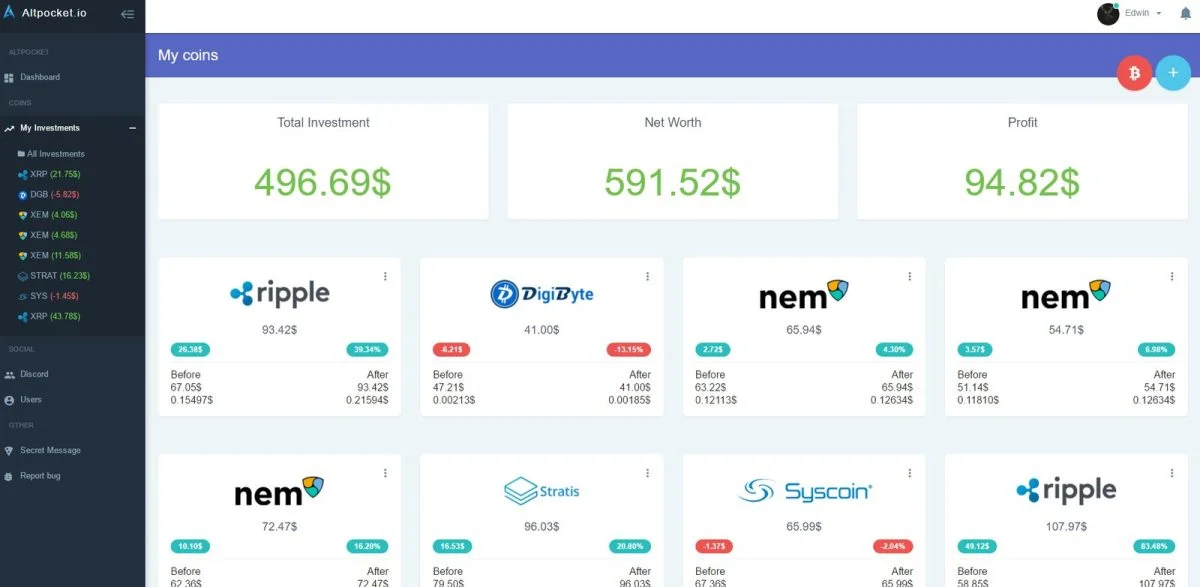
CoinTracker, Koinly, and Delta provide the most reliable data aggregation for investors, making them the Best Crypto Portfolio Trackers for users needing accurate tax reporting and real-time performance monitoring. This guide covers how to select the right platform, manage your API connections, and keep your financial data secure during market volatility.
How crypto portfolio trackers work

These digital tools connect to your exchange accounts and blockchain wallets to pull transaction data into one dashboard. They’re designed for investors who trade across multiple platforms and need a consolidated view of their assets. A common mistake is assuming these tools execute trades; they do not. They function purely as read-only interfaces that track historical prices, cost basis, and current market value. If you value privacy, look for platforms that allow manual CSV uploads instead of API keys. The mechanism relies on your exchange’s API sending historical trade data to the tracker, which then calculates gains or losses based on local tax laws. Always verify the specific tax jurisdiction supported by the software, as this varies by model — check the label or the provider’s official support page before committing.
The basic method
- Create an account on your chosen platform using a secure, unique password and enable two-factor authentication (2FA).
- Export your transaction history from each exchange as a CSV file or generate a read-only API key for the platform to sync automatically.
- Import your wallet addresses for any self-custody assets, ensuring you use the public address only, never your private keys or seed phrases.
- Review the “Uncategorized” or “Missing Cost” tab in your dashboard, as these errors often result from transfers between your own wallets.
- Manually adjust any missing data points by entering the purchase price and date for each asset, using your original trade receipts for precision.
- Generate your tax summary report once you have verified that all inflows and outflows are accounted for across all connected wallets.
The critical decision is whether to use API syncing or manual CSV files. If you trade daily, API syncing saves hours of work, but if you only trade monthly, manual uploads keep your API keys from being stored on a third-party server. If you lack the technical comfort to manage API keys, consult the Internal Revenue Service guidance on digital assets to understand your tax reporting obligations before you start.
Key numbers and settings at a glance
Choose your tracker based on your trading volume and the number of accounts you maintain.
| Situation | What to use | How long | What to watch for |
|---|---|---|---|
| High-volume trading | API Syncing | Real-time | API rate limits |
| Privacy-focused | CSV Uploads | 30-60 mins | File format errors |
| DeFi participation | Wallet Tracking | Monthly audit | Gas fee tracking |
| Tax filing season | Tax Report tool | 1-2 hours | Jurisdictional logic |
Choosing the Best Crypto Portfolio Trackers
Preparation and workflow
Experienced users start by cleaning their exchange records. Before connecting any tool, download your full history from every exchange and ensure the files aren’t corrupted. If you skip this step, you’ll face “duplicate transaction” errors that are difficult to fix later. Always work in chronological order, starting from your very first trade. This ensures the cost basis for your assets is calculated correctly from the start.
Ongoing maintenance
The best results come from treating your portfolio tracker like a living ledger. Don’t wait until the end of the tax year to check your dashboard. If you wait twelve months to sync a new wallet, you’ll likely forget the specific exchange rates for those transactions. Set a reminder to perform a “sync check” at the end of each month. This takes about ten minutes and prevents the massive headache of correcting a year’s worth of data in a single sitting.
Common problems and quick fixes

| What you notice | What it usually means | What to do first |
|---|---|---|
| Missing cost basis | Missing initial buy data | Manually enter cost |
| Duplicate trades | API and CSV overlap | Delete duplicate entries |
| Incorrect balance | API sync failure | Refresh connection |
| Uncategorized income | Staking rewards | Label as “Staking” |
Regulatory and compliance standards
The tracking of digital assets for tax purposes must align with the financial reporting requirements of your local authorities. In the United States, the IRS requires taxpayers to report all gains and losses from virtual currency transactions. If you’re unsure about how to classify a specific token swap or an airdrop, check the official publications from your national tax agency. This isn’t a hobbyist task; it’s a financial reporting duty. If your portfolio involves complex derivatives or institutional-grade assets, this isn’t for you. In such cases, the software may fail to capture the nuances of your tax position, and you should seek advice from a certified public accountant who specializes in digital assets.
Maintaining your digital records
Once your portfolio is synced, you must maintain the integrity of your data. Export your full transaction history and tax reports as a PDF or CSV file at the end of every quarter. Store these backups in an encrypted folder or an offline drive. If the tracker platform goes offline or changes its business model, you’ll still have a record of your cost basis and tax calculations. You don’t need to perform daily maintenance, but you should verify your balances against your actual wallet holdings at least once per month. If the numbers don’t match, check for pending transactions or unlinked wallets before assuming the software is malfunctioning.
When to use a different approach
If you hold only one asset on a single exchange, these platforms are overkill; use the exchange’s built-in tax report instead. If you manage a multi-million dollar institutional fund, these consumer-grade trackers lack the audit-trail features required for corporate accounting; you should use specialized institutional accounting software. Finally, if you’re a day trader executing thousands of trades per day, the API limits of standard trackers will cause constant sync errors. In this case, you need a custom-built solution that connects directly to the exchange’s WebSocket feed.
Frequently asked questions

Can I use these for free?
Yes, most providers offer a free tier that allows you to track a limited number of transactions. However, if you want to generate tax reports or connect more than a few wallets, you’ll usually need to upgrade to a paid plan.
Is it safe to share my API keys?
Yes, provided you generate “read-only” API keys. Never grant “withdrawal” or “trade” permissions to any third-party portfolio tracker. If you aren’t sure how to restrict these permissions, don’t connect the API and use manual CSV uploads instead.
What happens if the tracker loses my data?
Your data is at risk if the company shuts down, which is why you must export your reports regularly. Always keep local copies of your transaction history and tax forms in a secure, offline location to ensure you have a permanent audit trail.
How long does the initial sync take?
It takes anywhere from ten minutes to several hours, depending on your transaction volume. If you have thousands of trades, the initial import will take longer as the system calculates your cost basis for every single asset entry in your history.
Is it safe to link my bank account?
No, you should avoid linking your personal bank account to these tools. Most trackers only require access to your crypto exchange and wallet addresses to calculate your portfolio value. If a tracker asks for bank credentials, use a different platform.
Final Thoughts
Choosing the right tool doesn’t have to be overwhelming, so pick the one that feels most intuitive for your daily routine. Once you’ve linked your accounts, you’ll finally have a clear view of your gains. It’s time to take control of your digital assets and start tracking your progress with confidence today.
